A time clock, not a roadblock.
Flexible enough to run your business the way it actually runs. Flat-rate priced so growing your team doesn't grow your bill. Built for teams of 10 to 150 or even more.
14-day free trial • Cancel anytime
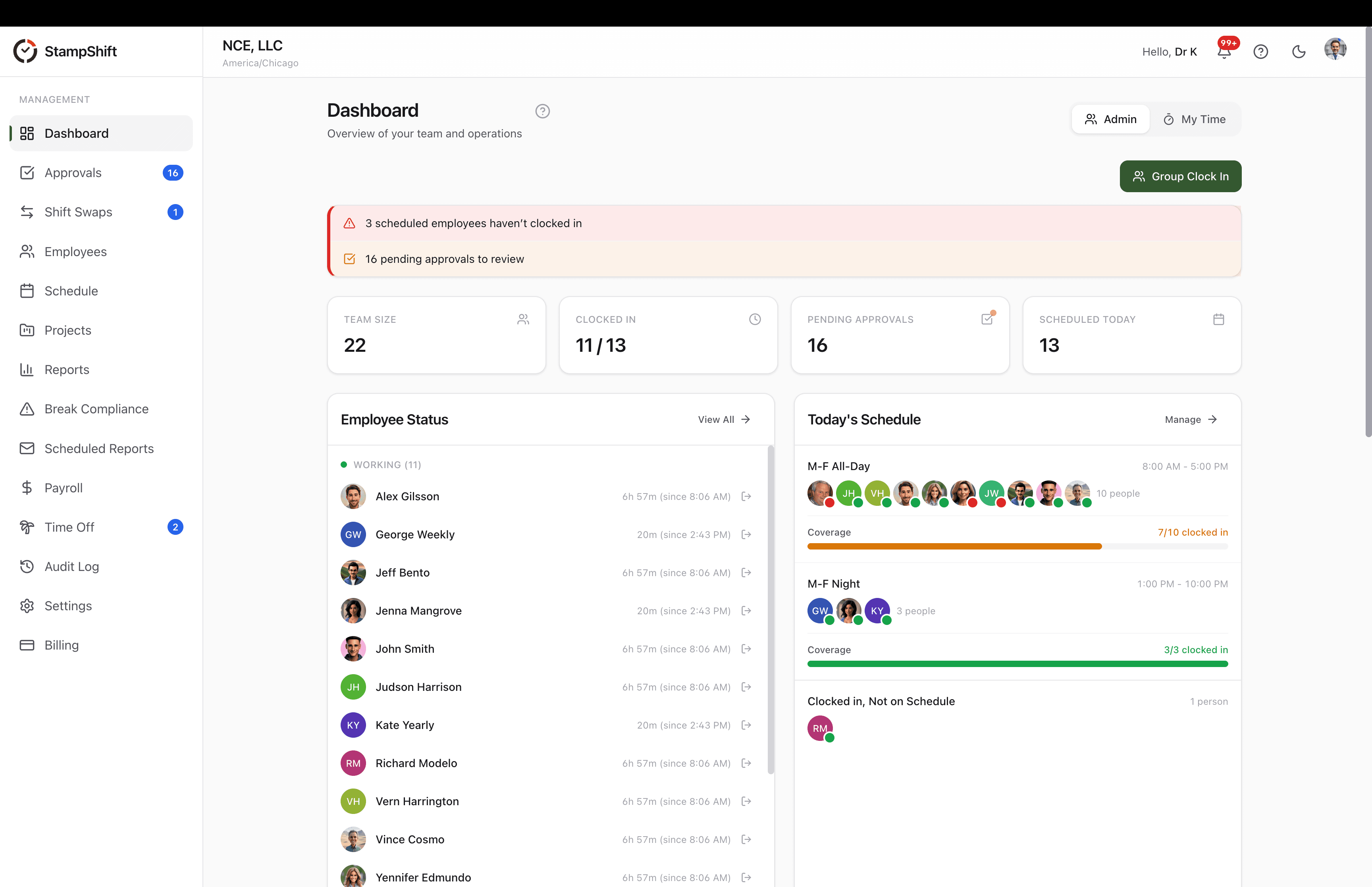
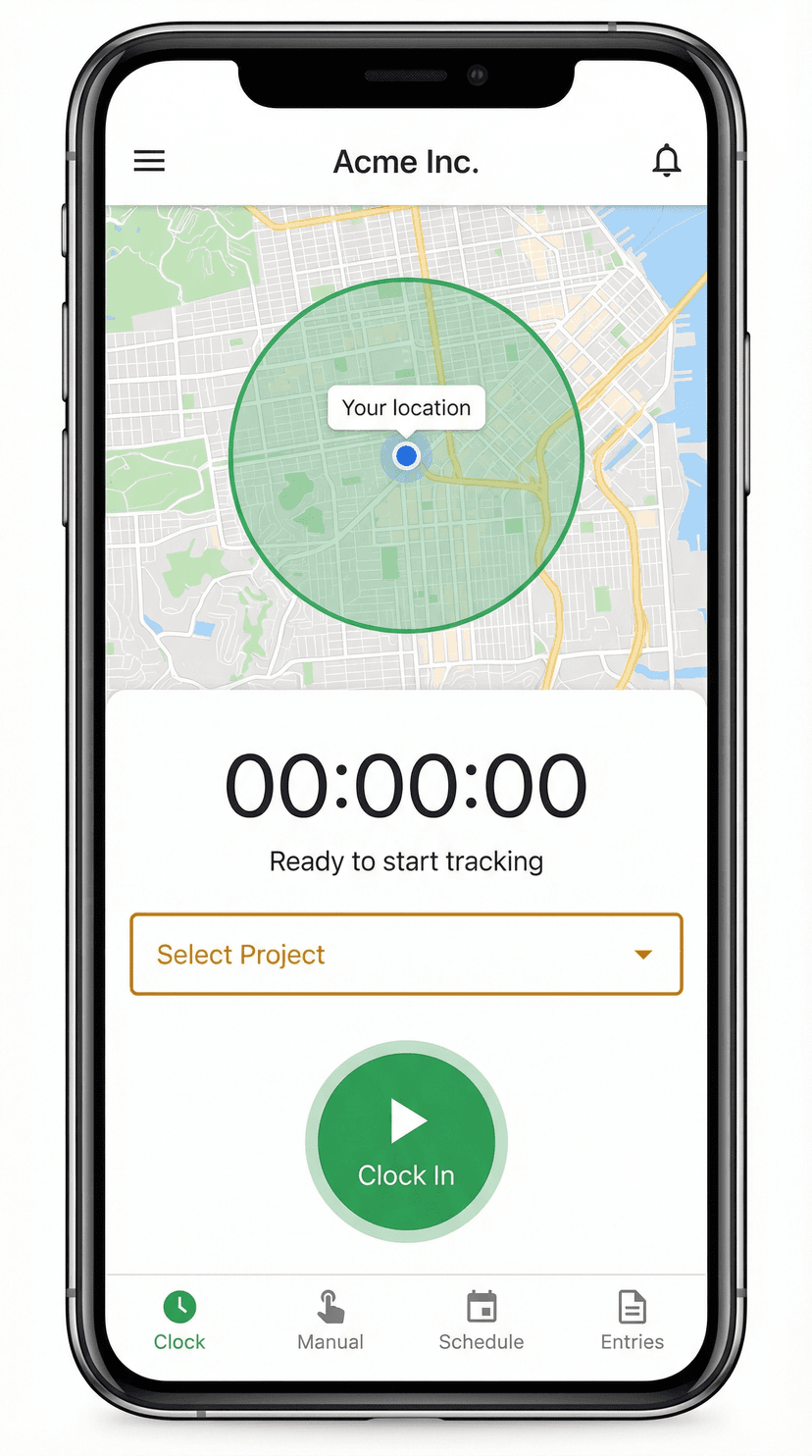
GPS Verified
On-site
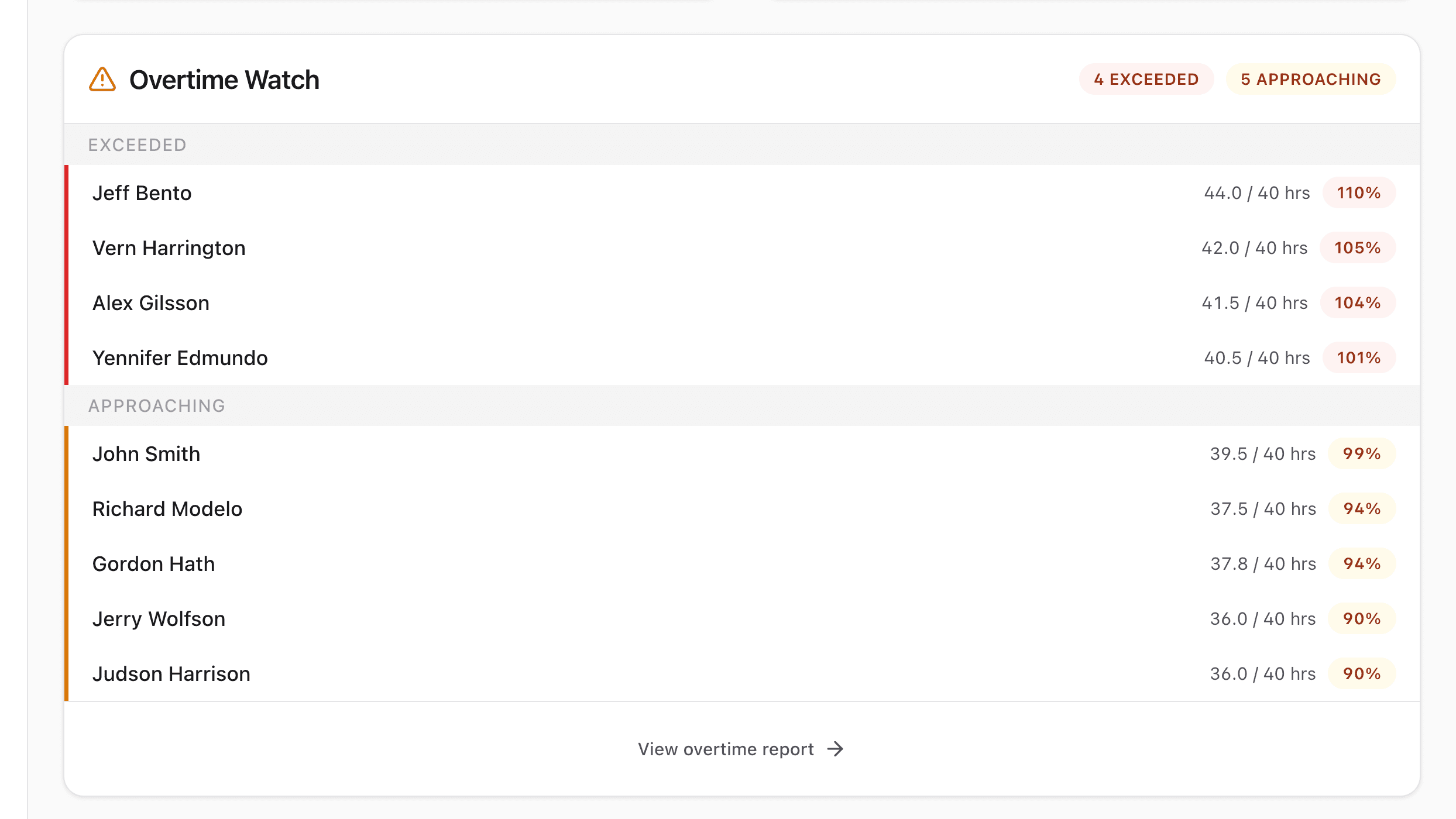
Overtime Alert
38.5 hrs
Other time clocks fight your business when reality changes
- Employee arrives at the wrong site? App blocks their clock-in.
- Employee not on the schedule? Manager has to edit the schedule first.
- Growing your team? Your bill grows with every new hire.
- Seasonal crew of 30 shrinks to 5? You’re still paying for 30.
StampShift bends so your business doesn't have to
- Wrong site? They clock in. Flagged for manager review.
- Not on the schedule? They clock in. You sort out approvals later.
- Growing your team? Flat-rate pricing. No per-seat math.
- Hire, fire, flex. Your bill doesn’t care.
All the features. None of the rigidity.
Every feature is configurable. Every guardrail is optional. Your business runs the way it actually runs.
One-Tap Time Clock
Employees clock in and out with a single tap. Works on any smartphone, tablet, or computer.
GPS Geofencing
Set up work sites to verify where punches happen. Configure as strict gates or soft warnings — your call, not the software’s.
Shift Scheduling
Publish schedules in minutes. Employees can clock in even when plans change — because plans always change.
Overtime Alerts
Get notified before employees hit overtime. Set custom thresholds and stay in control of labor costs.
Payroll Reports
Export hours with overtime, breaks, and PTO automatically calculated. Ready for your payroll system.
Break Compliance
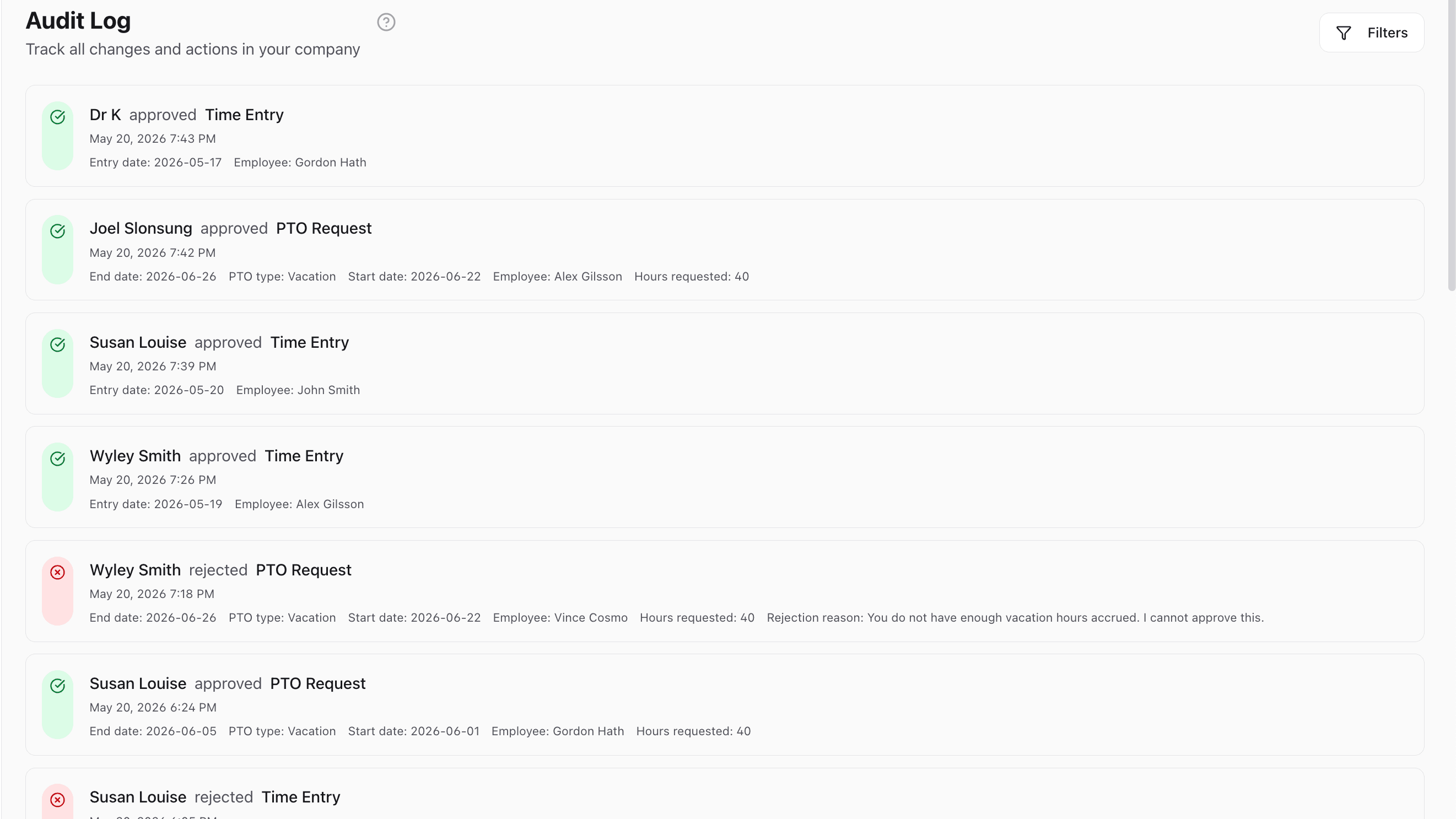
California meal and rest break tracking built-in. Attestations, alerts, and audit trails included.
Team Management
Organize employees by location, department, or manager. Delegate approvals and keep everyone aligned.
Time Off Tracking
Manage PTO requests, track balances, and handle approvals all in one place.
Kiosk Mode
Turn any tablet into a shared time clock. PIN login keeps it secure for the whole team.
Projects & Workspaces
Track hours by project and work site — not just by employee. Salaried team members included.
Document Sharing
Share documents with your whole team in one post, or exchange private files with individual employees. Everyone finds them right where they clock in.
Built for teams that adapt on the fly
From construction sites to clinics, from kitchens to retail floors — StampShift fits the way your team actually works.
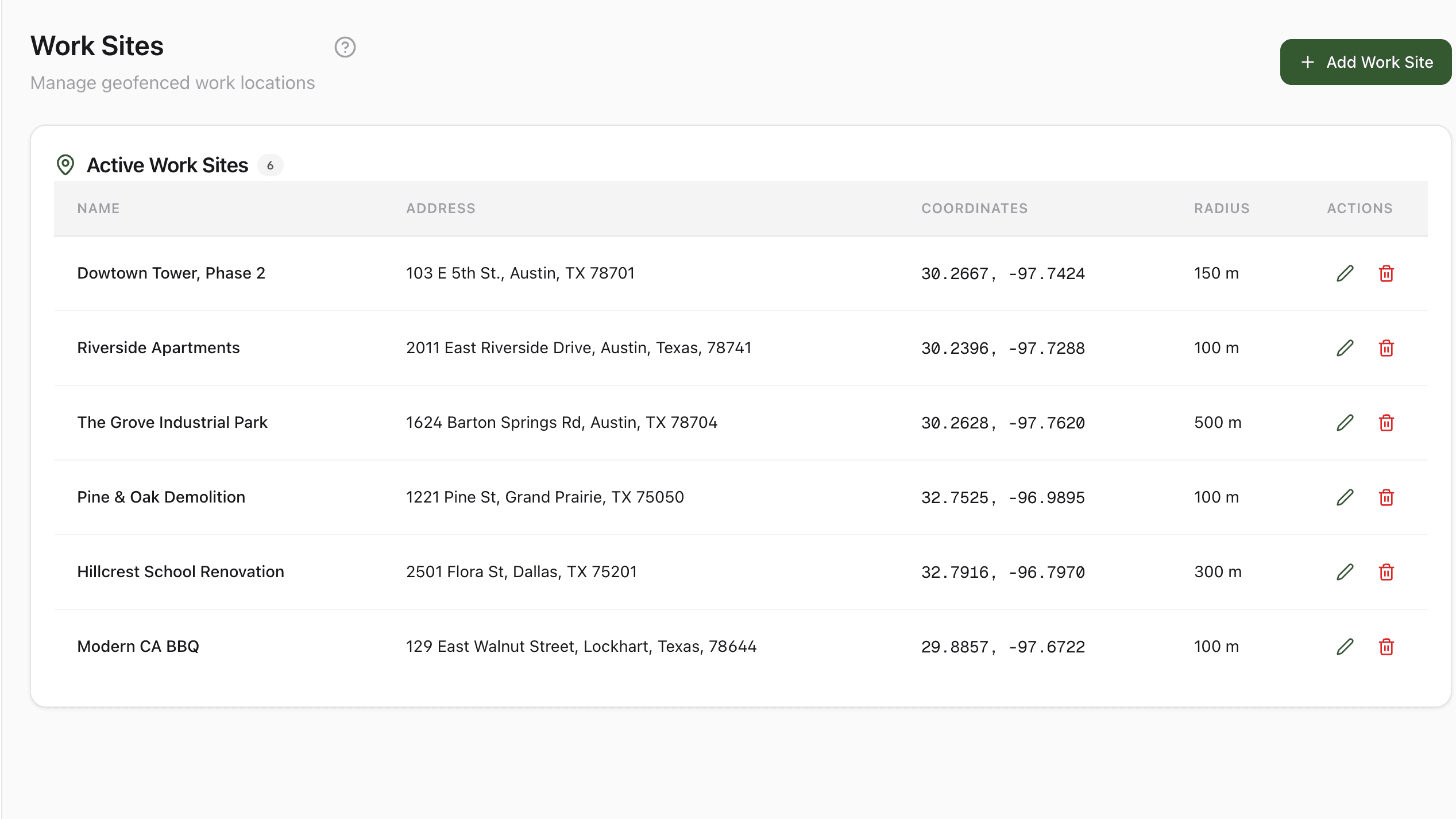
Construction
Track hours across multiple job sites. Geofencing ensures accurate location data for payroll.
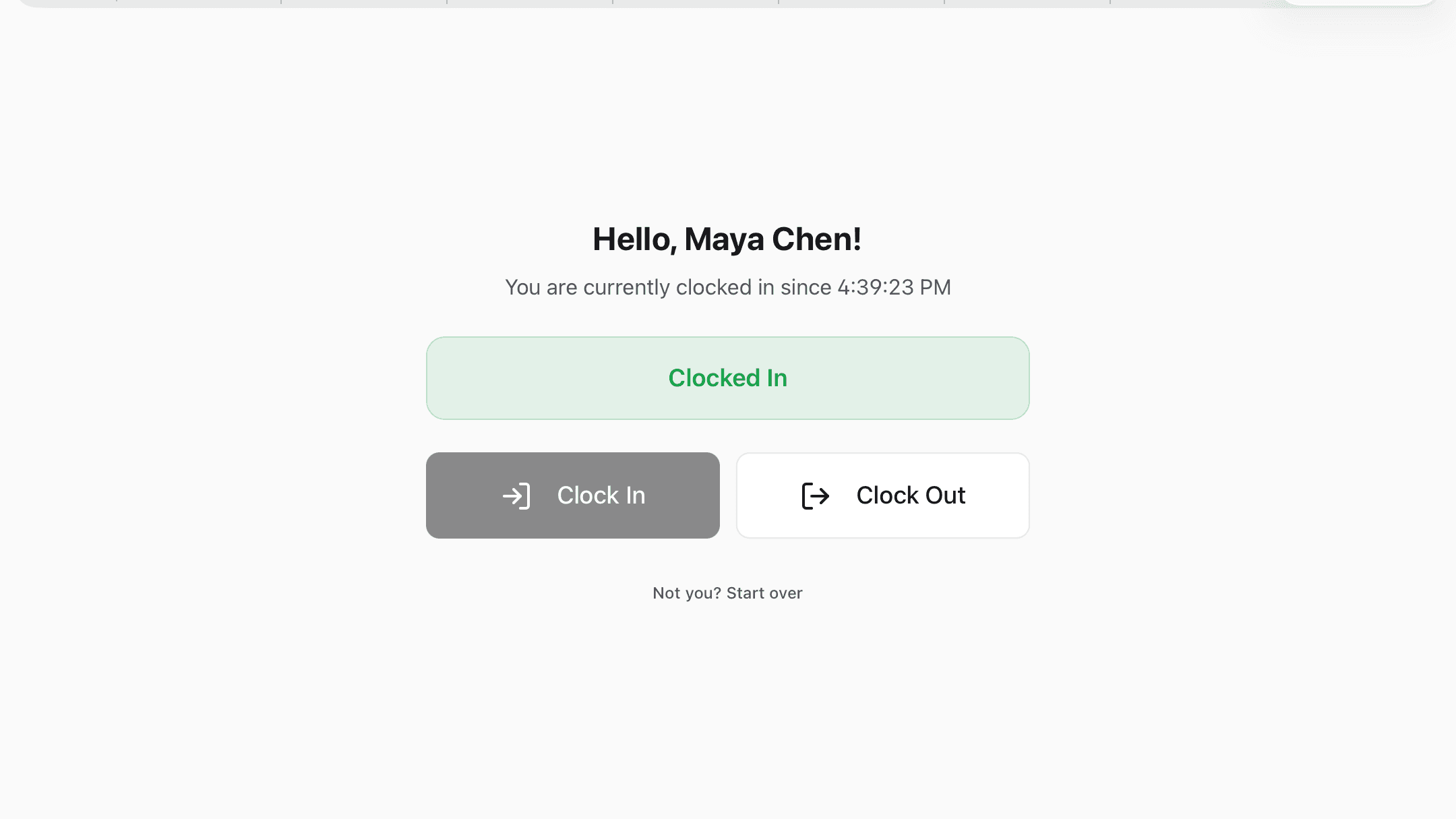
Restaurants
Manage shift swaps, track breaks for compliance, and use kiosk mode for shared devices.
Retail
Schedule part-time staff, get overtime alerts, and export payroll-ready hours in a click.
Healthcare
Full audit trails for compliance. Let staff upload licenses and manage rotating schedules.
Works with every payroll provider — because we export what they import.
StampShift produces CSV and Excel exports with regular hours, overtime, double-time, and PTO already calculated by your state's rules. Drop them straight into Gusto, ADP RUN, QuickBooks Payroll, or Paychex Flex. No integration setup. No per-seat fees on top.
Gusto
Hours upload template
- •First Name
- •Last Name
- •Regular Hours
- •Overtime
- •Double-Time
- •PTO
ADP RUN
Pay Data Entry CSV
- •File #
- •Last Name
- •First Name
- •Reg Hours
- •O/T Hours
- •Hrs 3 Amount
QuickBooks Payroll
Hours import
- •Employee Name
- •Regular Hours
- •Overtime
- •Double-Time
- •PTO
Paychex Flex
Time & Attendance import
- •Employee ID
- •Last Name
- •First Name
- •Reg Hours
- •OT Hours
- •DT Hours
Pre-categorized hours
Regular, overtime, double-time, and PTO already split by your state’s rules. Your payroll provider just pays — no recalculation, no second-guessing.
Customizable columns
Pick a preset and click download, or build your own column selection in Custom mode. We support Gusto, ADP RUN, QuickBooks Payroll, and Paychex Flex out of the box — ask us for another and we’ll add it.
Payroll ID matching
Map StampShift employees to ADP File #s or Paychex Employee IDs once. Bulk-import the whole roster from a CSV — no per-employee setup.
Export-and-import workflow, not a live API connection. You download a file from StampShift and upload it to your payroll provider — exactly the workflow most accounting teams already use.
Start Your Free TrialUp and running in 5 minutes
No training. No implementation call. No 40-step wizard. Your team is clocking in this afternoon.
Create your account
Sign up, set your timezone and overtime rules, and add your first work site.
Invite your team
Share your company code or send invite links. Employees join from their phone in seconds.
Start tracking
Your crew clocks in with one tap. You see hours in real-time and export reports instantly.
One flat rate. No per-seat math.
Pick a tier based on your team size. Your bill stays flat while you're under the cap — no per-seat billing and no surprise charges mid-cycle. Every tier's limits are listed below so you know exactly when an upgrade is coming.
Starter
Clock in, export hours, done.
Flat rate — not per user
- 20 users — one flat price, no per-seat fees
- Clock in/out with GPS
- Payroll reports (CSV)
- Basic scheduling
- Time entry approvals
- State break compliance
Growth
Geofencing, time off, room to grow.
Flat rate — not per user
- Everything in Starter
- 50 users — one flat price, no per-seat fees
- Excel payroll exports
- Geofencing (5 sites)
- PTO tracking & requests
- Admin roles (3 admins)
- Manager roles (5 managers)
- Scheduled email reports
- Full audit log
Business
Every site, every feature, no limits.
Flat rate — not per user
- Everything in Growth
- 150 users — one flat price, no per-seat fees
- Unlimited work sites
- Admin roles (15 admins)
- Unlimited managers
- Auto clock-out on geofence
- Projects & workspaces
- Priority support
All plans include a 14-day free trial.
Frequently asked questions
Do employees need to download an app?
What if an employee isn’t on the schedule or shows up at a different work site?
What happens to my bill if my team size changes?
How does GPS tracking work?
Can I export data to my payroll system?
How many users can I add?
What about state break compliance?
Can I try before I buy?
Ready to stop fighting your time clock?
Flexible, flat-rate time tracking for teams of 10 to 150 or even more. Try it free for 14 days.
14-day free trial • Cancel anytime